





Welcome!
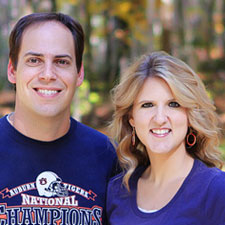
Welcome to the Fonts for Peas section of Kevin & Amanda! This is where I turn your submitted handwriting samples into fonts. Then I upload the fonts here so you can download them all for free! I've always been drawn to fun and funky handwriting, and making fonts is just something I like to do in my free time. Plus I love sharing the fonts that I make with you guys! So go on and look around and enjoy! :)
While you're here, be sure to check out the other exciting areas of Kevin & Amanda. I share my favorite tried and true recipes and photography tutorials. I'll even show you how you can use these fonts on your blog.
Yes! I am still accepting new handwriting samples!
Send me your font!
Get Fonts

*Click this button to download the entire collection of Fonts for Peas fonts in a single download.
If you like handwriting fonts, you’ll love these scrapbooking fonts! More free fonts from Kevin & Amanda at Free Scrapbook Fonts!

How do you make a font unzipped? When I tried to download the file on sIFR, it won’t let me. Something about a TTF (or TFF) file?
*sigh* When I saved the font, it automatically saved as .zip. Help?
After you download a font you must select EXTRACT ALL FILES that appears above the file on the far right. Then you will select a place to save it and it will be “unzipped” when you have completed that process it will pop up in a new window where you saved it, RIGHT CLICK on the font file and select INSTALL then it will be there! I have installed many fonts and LOVE Them all.
Thank you!!
I can’t get it to work with Webs.com because the fonts keep saving as a TTF. How can I get it to save as a SWF?
Comments on this entry are closed.